



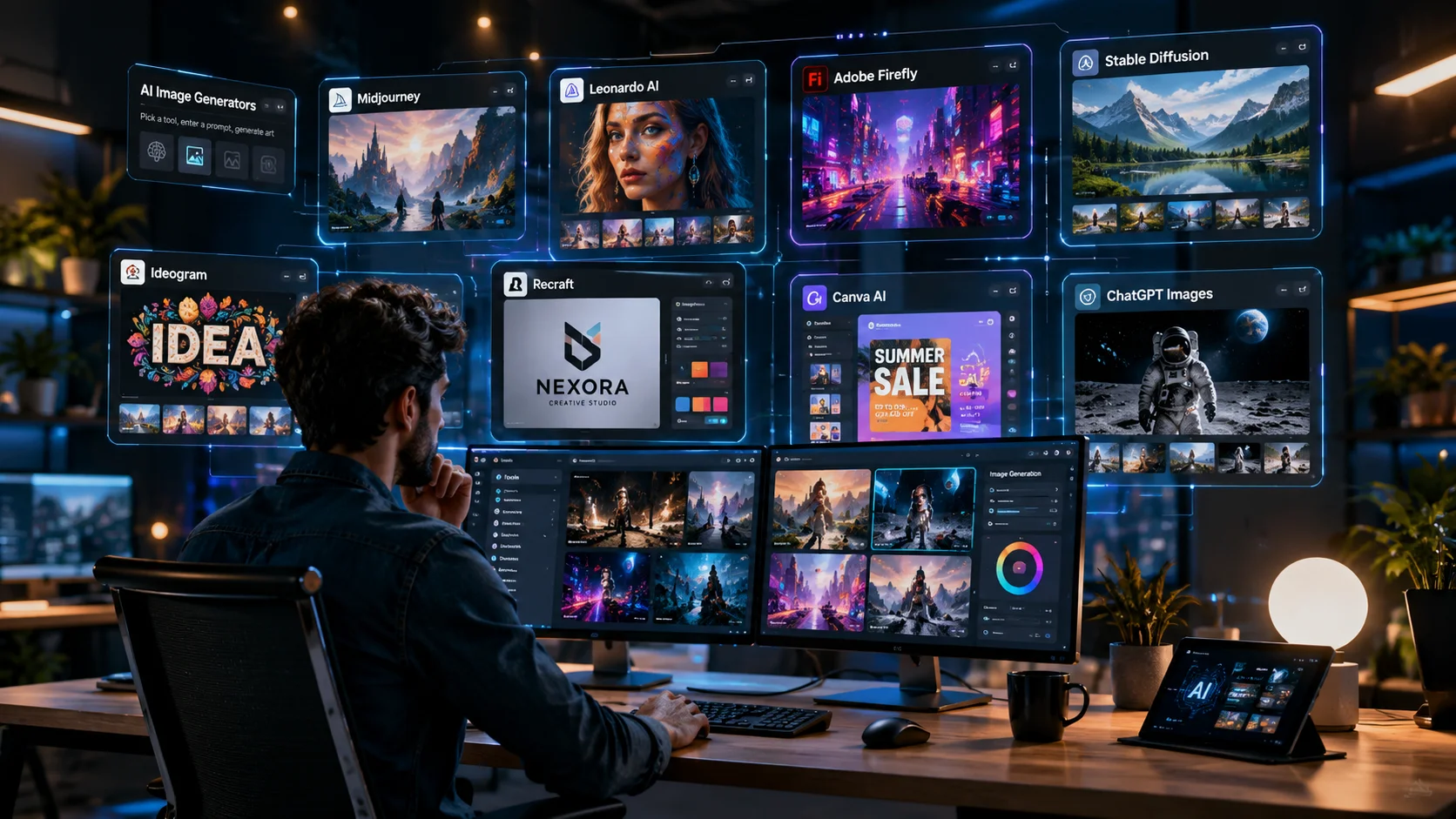
If you’re looking for AI tools like Midjourney, you’re probably facing the same challenge as many designers, content creators, marketers, and small business owners. Midjourney is known for producing stunning AI artwork, but it isn’t always the perfect fit. Some users want a more beginner-friendly interface, better editing features, realistic image generation, or a platform that fits their budget and workflow. With so many AI image generators available today, choosing the right one can quickly become overwhelming.
After comparing today’s leading AI image generators and evaluating what each platform does best, one thing becomes clear: there isn’t a single “best” alternative for everyone. The right choice depends on the type of images you create, your experience level, and how you plan to use them. In this guide, you’ll discover the best AI tools like Midjourney, compare their strengths and limitations, and learn which platform is the right fit for your creative projects.
| If You Want… | Choose |
|---|---|
| The best artistic AI images | Midjourney |
| Consistent characters | Leonardo AI |
| Realistic product photos | FLUX |
| Professional design workflow | Adobe Firefly |
| Logos & Branding | Recraft |
| Images with readable text | Ideogram |
| Social media graphics | Canva AI |
| Business graphics | Microsoft Designer |
| Free AI image generation | NightCafe |
| Maximum customization | Stable Diffusion |
| Simple everyday image creation | ChatGPT Images |
Quick Answer
🚀 Quick Recommendation
If you’re looking for the best AI tools like Midjourney, start with these recommendations based on your goals:
- Best for artistic illustrations: Midjourney
- Best for character design: Leonardo AI
- Best for realistic images: FLUX
- Best for graphic designers: Adobe Firefly
- Best for beginners: ChatGPT Images
Each platform serves a different purpose. Some focus on artistic illustrations, while others are better for realistic images, logo design, marketing graphics, or everyday content creation.
📌 Key Takeaways
- Midjourney remains one of the strongest choices for artistic illustrations.
- Leonardo AI is ideal for character design and game development.
- Adobe Firefly fits professional Adobe Creative Cloud workflows.
- FLUX is one of the strongest options for realistic AI-generated images.
- ChatGPT Images and Canva AI are excellent choices for beginners and content creators.
- Test multiple AI tools before choosing one to find the best fit for your workflow.
Who Is This Guide For?
Whether you’re creating images for personal projects or professional work, choosing the right AI image generator can save time and improve your results.
This guide is especially helpful for:
- Graphic designers
- Digital artists
- Content creators
- Bloggers
- Freelancers
- Marketing professionals
- Small business owners
- Ecommerce sellers
- Students
- Beginners exploring AI image generation
No matter your experience level, you’ll find an AI tool that matches your goals and budget.
📑 Table of Contents
What Is Midjourney?
Midjourney is an AI-powered image generator that creates images from text prompts.
Instead of drawing artwork manually, you simply describe the image you want, and the AI generates multiple versions based on your instructions.
For example, you could type:
A futuristic Tokyo street at night with neon lights reflecting on wet roads.
Within seconds, Midjourney creates several original images inspired by your prompt.
People use Midjourney for many creative projects, including:
- Digital illustrations
- Concept art
- Character design
- Book covers
- Product concepts
- Social media graphics
- Marketing visuals
- Fantasy artwork
One of Midjourney’s biggest strengths is its artistic style. It produces images with rich details, dramatic lighting, and imaginative compositions that many artists appreciate.
However, it also has some limitations.
For example:
- Some beginners find its workflow harder to learn than web-based AI tools.
- It does not offer a permanent free plan.
- Editing features are more limited than those offered by some competitors.
- Some users need better text rendering for logos, posters, or advertisements.
- Businesses may prefer AI tools that integrate directly with their existing design software.
These limitations encourage many users to explore other AI image generators.
Why Look for AI Tools Like Midjourney?
There is no single AI image generator that works perfectly for everyone.
A freelance designer, a YouTuber, a blogger, and a marketing agency all have different creative needs.
That is why many people compare Midjourney with other AI image generators before choosing a platform.
Here are the most common reasons users look for alternatives.
Easier to Learn
If you’re new to AI image generation, you probably want a tool with a clean dashboard and simple controls.
Platforms like ChatGPT Images, Canva AI, and Microsoft Designer let users create images with natural language prompts, making the learning process much easier.
Better Editing Tools
Creating an image is only the first step.
Many creators also need to:
- Remove unwanted objects
- Replace backgrounds
- Expand images
- Improve image quality
- Resize images
- Create different versions
Some AI image generators include these editing tools, helping users complete projects without switching to another application.
Better Value for Money
Not everyone creates hundreds of AI images every month.
If you only generate images occasionally, paying for a premium subscription may not make sense.
Several AI tools offer free plans or trial credits, allowing users to test the platform before upgrading.
Better Support for Business Projects
Businesses often create AI images for:
- Websites
- Online stores
- Advertisements
- Product packaging
- Client presentations
- Social media campaigns
Many AI platforms support commercial use. However, licensing terms vary between providers and subscription plans, so it is always a good idea to review the latest policy before using AI-generated images in commercial projects.
Different Creative Styles
Every AI image generator has its own strengths.
Some produce highly artistic illustrations, while others focus on realistic photography, branding, or marketing graphics.
Choosing the right tool depends on the type of images you create most often.
How AI Image Generators Work
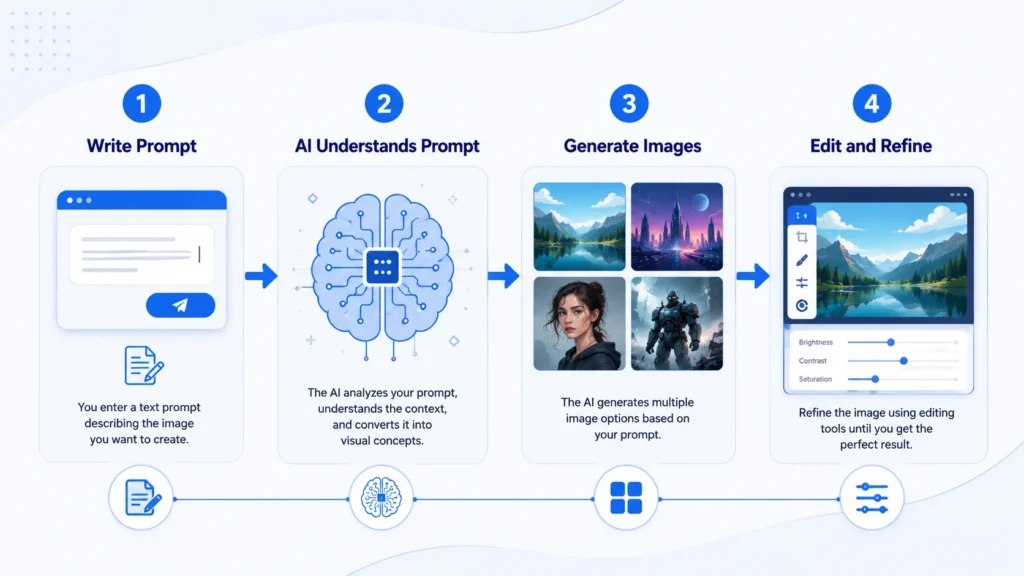
Although AI image generation looks almost magical, the process is surprisingly simple from the user’s point of view.
Step 1: Write a Prompt
Everything starts with a text prompt.
For example:
A luxury beach house overlooking the ocean during sunset with modern architecture.
The more details you include, the better the AI can understand your request.
Step 2: The AI Understands Your Prompt
The AI analyzes your prompt and identifies important details, such as:
- Main subject
- Art style
- Colors
- Lighting
- Camera angle
- Mood
- Background
This information helps the AI create an image that matches your description.
Step 3: Generate the Image
The AI creates one or more unique images based on your prompt.
Modern AI image generators can produce:
- Realistic photos
- Digital paintings
- Anime artwork
- Product images
- Character illustrations
- Marketing graphics
- Concept art
within a short time.
Step 4: Edit and Improve
Many AI tools allow you to refine the generated image by:
- Removing objects
- Replacing backgrounds
- Expanding the canvas
- Improving image quality
- Creating new variations
These editing features make it easier to create professional-quality visuals without starting over.
📊 Quick Comparison Table
| AI Tool | Best For | Free Plan | Ease of Use | Ideal Users |
|---|---|---|---|---|
| Leonardo AI | Character design | ✅ | Easy | Artists, Game Developers |
| Adobe Firefly | Professional design | Limited | Easy | Designers, Agencies |
| FLUX | Realistic images | Depends | Medium | Product Designers, Marketers |
| Ideogram | Images with text | ✅ | Easy | Branding, Social Media |
| Stable Diffusion | Advanced customization | Open Source | Advanced | Developers, AI Enthusiasts |
| ChatGPT Images | Everyday image creation | Varies | Very Easy | Bloggers, Content Creators |
| Recraft | Logos & Vectors | ✅ | Easy | Graphic Designers |
| Canva AI | Marketing graphics | Limited | Very Easy | Small Businesses |
| NightCafe | Creative exploration | ✅ | Easy | Students, Beginners |
| Microsoft Designer | Business graphics | ✅ | Very Easy | Office Users, Marketers |
| Midjourney | Artistic illustrations | ❌ | Medium | Digital Artists |
Note: Free plans, features, and pricing may change over time. Always check the official website of each AI tool for the latest information.
Best AI Tools Like Midjourney for Digital Artists
If your goal is to create detailed illustrations, concept art, fantasy scenes, or character designs, you need an AI image generator that delivers creative freedom and high-quality artwork.
The following tools are among the strongest choices for digital artists.
1. Midjourney – Best for Artistic Illustrations
Midjourney remains one of the most popular AI image generators for artists. It is widely recognized for creating detailed, imaginative, and cinematic artwork.
Many illustrators, concept artists, and creative professionals use Midjourney to generate ideas for books, games, movies, and digital paintings.
Why Artists Like Midjourney
- Produces detailed artistic images
- Excellent lighting and composition
- Strong fantasy and concept art styles
- Regular model improvements
- Active creative community
Things to Consider
- No permanent free plan
- Learning the workflow may take time for beginners
- Image editing features are more limited than some competitors
Best For
- Digital artists
- Concept designers
- Illustrators
- Creative professionals
Bottom Line: If your priority is artistic quality and creative expression, Midjourney is still one of the strongest options available.
2. Leonardo AI – Best for Character Design
Leonardo AI has become a favorite among artists who need consistent characters and detailed environments.
Unlike many AI image generators, it provides editing tools that make it easier to improve or adjust images after they are generated.
This makes it useful for projects that require multiple images with a similar visual style.
Why Choose Leonardo AI?
- Character consistency
- AI Canvas for editing
- Style presets
- User-friendly interface
- Free plan available
Things to Consider
- Free credits are limited.
- Some advanced features require a paid plan.
Best For
- Character artists
- Comic creators
- Game developers
- Fantasy illustrators
Bottom Line: Leonardo AI is an excellent choice if your projects involve recurring characters or visual storytelling.
3. Stable Diffusion – Best for Creative Control
Stable Diffusion is an open-source AI image model that gives advanced users more control over the image generation process.
Instead of relying on preset workflows, users can customize models, experiment with different settings, and even run the software on their own hardware if they have a compatible system.
Although it has a steeper learning curve, it offers flexibility that many creative professionals appreciate.
Why Choose Stable Diffusion?
- Open-source ecosystem
- Highly customizable
- Supports image-to-image generation
- Large developer community
- Flexible creative workflow
Things to Consider
- Takes longer to learn.
- Some hosted platforms charge for easier access.
Best For
- Advanced artists
- AI enthusiasts
- Developers
- Technical creators
Bottom Line: If you want maximum creative control and enjoy experimenting with AI tools, Stable Diffusion is a powerful option.
Best AI Tools Like Midjourney for Graphic Designers
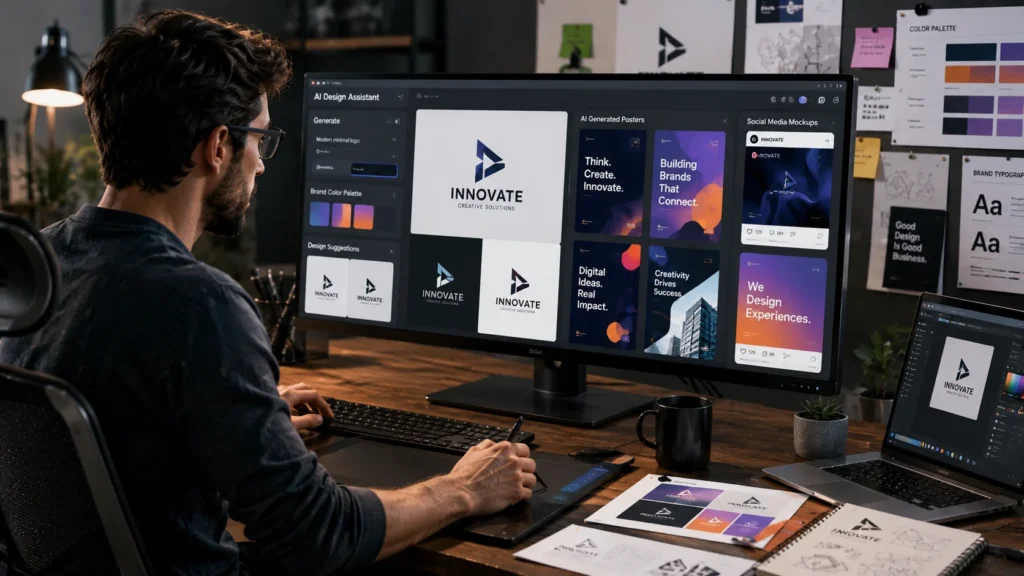
Graphic designers often need more than beautiful images. They also need branding tools, accurate text, editable graphics, and smooth workflows.
These AI tools are well suited for professional design projects.
4. Adobe Firefly – Best for Professional Design Work
Adobe Firefly is built for designers who already work with Photoshop, Illustrator, and Adobe Express.
Instead of creating images in one platform and editing them in another, Firefly fits naturally into Adobe’s creative ecosystem.
This makes it a practical choice for branding, advertising, presentations, and marketing campaigns.
Why Choose Adobe Firefly?
- Works with Adobe Creative Cloud
- Strong editing features
- Commercial-friendly workflow
- Simple interface
- Reliable for business projects
Things to Consider
- Some features require an Adobe subscription.
- Less focused on artistic styles than Midjourney.
Best For
- Graphic designers
- Creative agencies
- Marketing teams
- Brand managers
Bottom Line: Adobe Firefly is one of the best choices for professionals who already use Adobe software.
5. Recraft – Best for Logos and Brand Assets
Recraft focuses on creating professional design assets rather than artistic illustrations.
One of its biggest strengths is generating editable vector graphics. This makes it useful for logos, icons, branding materials, and marketing graphics that need to stay sharp at any size.
Why Choose Recraft?
- AI logo generation
- Vector graphics
- Brand illustrations
- Easy editing
- High-quality exports
Things to Consider
- Not intended for fantasy artwork.
- Offers fewer artistic styles than Midjourney.
Best For
- Logo designers
- Branding specialists
- Small businesses
- Marketing agencies
Bottom Line: If your work revolves around branding and visual identity, Recraft is a smart alternative to Midjourney.
6. Ideogram – Best for Images with Readable Text
Many AI image generators still struggle to create accurate text inside images.
Ideogram is one of the strongest options for projects that combine visuals with typography.
It works well for posters, advertisements, product labels, presentation graphics, and social media posts.
Why Choose Ideogram?
- Better text rendering
- Simple interface
- Fast image generation
- Suitable for branding projects
- Free plan available
Things to Consider
- Advanced editing tools are limited.
- Artistic styles are less varied than Midjourney.
Best For
- Marketing professionals
- Graphic designers
- Social media managers
- Small business owners
Bottom Line: If your images need clear, readable text, Ideogram is one of the most practical AI image generators available.
Best AI Tools Like Midjourney for Content Creators and Marketers
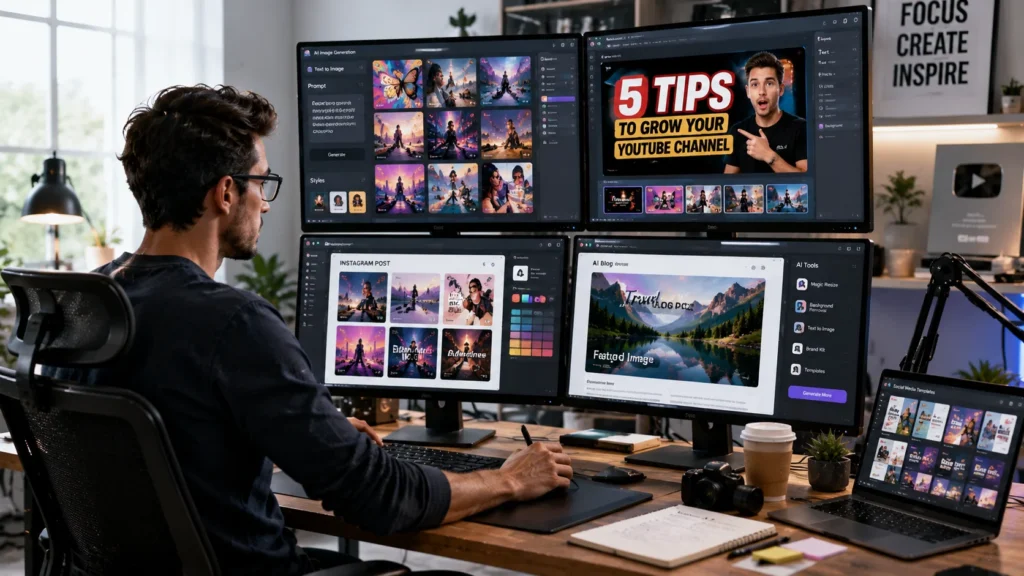
Content creators need more than beautiful images. They need tools that are fast, easy to use, and fit into their daily workflow. Whether you’re creating blog graphics, YouTube thumbnails, social media posts, or marketing materials, the right AI image generator can save hours of work.
The following AI tools are excellent choices for creators who value speed, simplicity, and productivity.
7. ChatGPT Images – Best for Everyday Content Creation
ChatGPT Images makes AI image generation simple. Instead of learning complicated prompt structures, you can describe your idea in natural language and ask follow-up questions until the image matches your vision.
For example, if the first image isn’t exactly what you want, you can simply say:
- “Make the background brighter.”
- “Replace the laptop with a tablet.”
- “Add a modern office setting.”
This conversational workflow makes image editing much easier for beginners and busy professionals.
Why Choose ChatGPT Images?
- Understands natural language prompts
- Easy image refinement through conversation
- Fast image generation
- Beginner-friendly interface
- Suitable for many creative tasks
Things to Consider
- Image generation availability and limits depend on your ChatGPT plan.
- Professional designers may still need dedicated editing software for advanced projects.
Best For
- Bloggers
- Content creators
- Freelancers
- Teachers
- Small business owners
- Marketing professionals
Ideal For
- Writing blog posts with custom images
- Creating social media graphics
- Producing presentation visuals
- Generating quick marketing concepts
Not Ideal For
- Users who need advanced vector editing
- Large-scale branding projects requiring extensive manual design
Bottom Line: If you want the fastest way to create and improve AI-generated images using simple conversations, ChatGPT Images is one of the easiest platforms to use.
8. Canva AI – Best for Social Media and Marketing Graphics
Canva AI combines image generation with a complete online design platform. Instead of moving between different applications, you can generate AI images and place them directly into ready-made templates.
This makes Canva AI especially useful for businesses and creators who publish content regularly.
Whether you’re designing an Instagram post, YouTube thumbnail, presentation, flyer, or Facebook advertisement, Canva AI helps you complete the entire project in one place.
Why Choose Canva AI?
- Thousands of professional templates
- Drag-and-drop editor
- AI image generation
- Team collaboration
- Brand Kit support
Things to Consider
- Some AI features require Canva Pro.
- It focuses more on productivity than artistic illustration.
Best For
- Social media managers
- Bloggers
- Marketing teams
- Small businesses
- Freelancers
Ideal For
- Instagram posts
- LinkedIn graphics
- Facebook advertisements
- Pinterest pins
- Presentation slides
- Email marketing visuals
Not Ideal For
- Detailed fantasy artwork
- Advanced concept art projects
Bottom Line: Canva AI is an excellent option if your priority is creating professional marketing content quickly without switching between multiple design tools.
9. Microsoft Designer – Best for Business Graphics
Microsoft Designer is designed for users who need attractive visuals without spending hours learning graphic design software.
The platform combines AI-generated images with professionally designed templates, making it easy to create business graphics for presentations, marketing campaigns, and social media.
If you already use Microsoft products, Designer fits naturally into your workflow.
Why Choose Microsoft Designer?
- Simple interface
- AI-generated graphics
- Marketing templates
- Presentation layouts
- Fast editing tools
Things to Consider
- Creative controls are more limited than dedicated AI art generators.
- Better suited for business graphics than artistic illustrations.
Best For
- Office professionals
- Small businesses
- Marketing teams
- Students
- Freelancers
Ideal For
- Business presentations
- Promotional graphics
- Event invitations
- Company social media posts
- Marketing materials
Not Ideal For
- Professional concept artists
- Users who need highly stylized artwork
Bottom Line: Microsoft Designer is a practical choice for professionals who need polished business graphics with minimal effort.
Best Free AI Tools Like Midjourney
Not everyone wants to pay for an AI image generator immediately. If you’re just getting started, several platforms offer free plans or free credits that let you explore AI image generation before committing to a subscription.
Although free plans usually include usage limits, they are more than enough for learning, experimenting, and completing small creative projects.
Leonardo AI
Leonardo AI offers free daily credits, making it one of the most popular choices for beginners and artists who want to test advanced AI image generation without paying upfront.
Best For: Character design, concept art, and creative experimentation.
Ideogram
Ideogram includes a free plan that allows users to create images with accurate text rendering.
It is a good choice for posters, logos, presentations, and social media graphics.
Best For: Branding and marketing visuals.
NightCafe
NightCafe provides free credits that allow new users to explore multiple AI art styles while participating in an active creator community.
Best For: Learning AI image generation and experimenting with different artistic styles.
Stable Diffusion
Because Stable Diffusion is open source, it can be used without paying licensing fees when self-hosted on compatible hardware. However, many hosted services charge for convenience and additional features.
Best For: Developers and advanced users who want complete creative control.
Microsoft Designer
Microsoft Designer includes free features that help users create business graphics, presentations, and promotional materials.
Best For: Students, office users, and small businesses.
Quick Recommendations by User Type
If you’re still unsure which AI image generator to choose, this table can help you make a faster decision.
🎯 Quick Recommendations by User Type
Not every AI image generator is built for the same audience. Use this quick guide to find the platform that best matches your role and creative workflow.
| User Type | Recommended AI Tool | Why It’s a Good Fit |
|---|---|---|
| Digital Artist | Midjourney | Creative and artistic image generation |
| Character Designer | Leonardo AI | Consistent characters and powerful editing tools |
| Graphic Designer | Adobe Firefly | Professional design workflow with Adobe integration |
| Blogger | ChatGPT Images | Fast image creation using natural language prompts |
| Content Creator | Canva AI | Templates and quick publishing workflow |
| Social Media Manager | Canva AI | Ready-made marketing templates and easy editing |
| Small Business Owner | Microsoft Designer | Business-friendly templates for marketing and promotions |
| Marketing Agency | Adobe Firefly | Commercial-ready design workflow for teams |
| Student | NightCafe | Free learning experience and creative experimentation |
| Beginner | ChatGPT Images | Simple interface that’s easy to learn and use |
| Developer | Stable Diffusion | Advanced customization and open-source flexibility |
| Ecommerce Seller | FLUX | High-quality realistic product images |
Tip: If you fit into more than one category, try the recommended tools for both workflows and compare the results using the same prompt before choosing a long-term platform.
Which AI Tool Is Right for You?
Choosing the best AI image generator depends on your creative goals. A tool that works well for a digital artist may not be the best option for a marketer or a small business owner.
Use the recommendations below to find the platform that matches your workflow.
If You’re a Digital Artist
Your priority is likely creativity, artistic style, and image quality.
Recommended tools:
- Midjourney
- Leonardo AI
- Stable Diffusion
These platforms are well suited for fantasy artwork, concept art, digital paintings, and character design.
If You’re a Graphic Designer
Graphic designers often need editable graphics, branding tools, and software that fits into their existing workflow.
Recommended tools:
- Adobe Firefly
- Recraft
- Ideogram
These tools are useful for creating logos, advertisements, marketing materials, and presentation graphics.
If You’re a Content Creator
Bloggers, YouTubers, and social media creators usually need images quickly.
Recommended tools:
- ChatGPT Images
- Canva AI
- Microsoft Designer
These platforms make it easy to generate images, edit them, and publish content without learning advanced design software.
If You’re a Small Business Owner
Business owners often need AI images for websites, online stores, email campaigns, and advertisements.
Recommended tools:
- Adobe Firefly
- Canva AI
- Microsoft Designer
These platforms help create professional marketing materials while keeping the workflow simple.
If You’re a Beginner
If you’re new to AI image generation, choose a platform with a simple interface and natural language prompts.
Recommended tools:
- ChatGPT Images
- Canva AI
- NightCafe
These tools are easy to learn and require very little setup.
If You’re Looking for a Free Midjourney Alternative
Free plans are a great way to explore AI image generation before paying for a subscription.
Consider these options:
- Leonardo AI
- Ideogram
- NightCafe
- Microsoft Designer
- Stable Diffusion (self-hosted)
Although free plans usually have usage limits, they provide enough features for learning and personal projects.
How to Choose the Right AI Image Generator
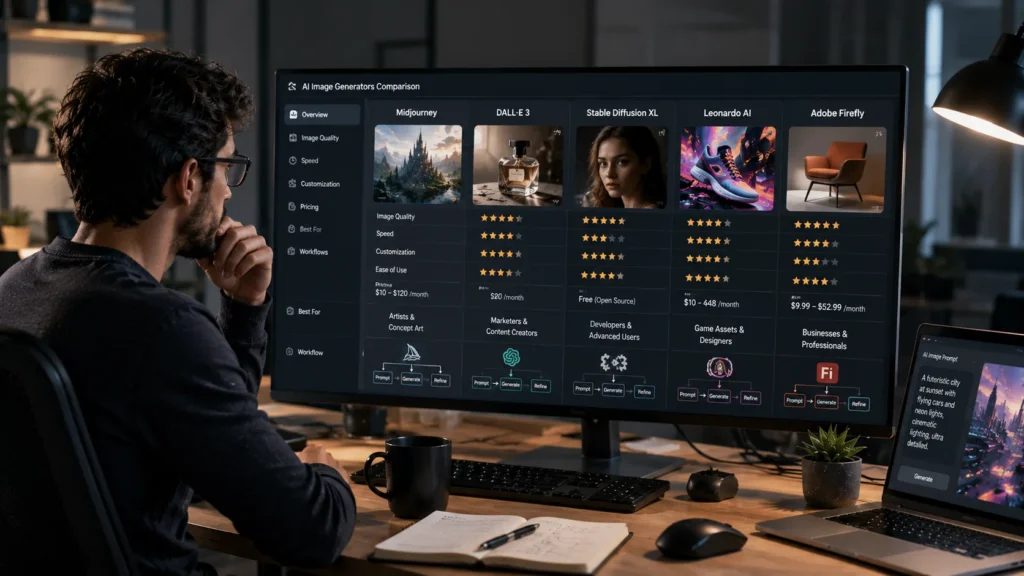
There isn’t a single AI image generator that is perfect for everyone. Before choosing a platform, compare the features that matter most to your workflow.
Think About Your Creative Goals
Start by asking yourself one simple question:
What type of images do I create most often?
For example:
- Product photos
- Social media graphics
- Digital artwork
- Logos
- Character designs
- Marketing visuals
- Blog illustrations
Choosing a tool designed for your primary use case will usually produce better results than selecting the most popular platform.
Compare Image Quality
Every AI model has its own style.
Before subscribing to a platform, generate the same prompt using two or three different AI tools.
Compare the results by looking at:
- Detail
- Lighting
- Colors
- Realism
- Composition
- Overall creativity
A quick comparison often reveals which platform matches your preferred style.
Check the Editing Features
Many users focus only on image generation.
However, editing tools can save a lot of time.
Useful features include:
- Background removal
- Object replacement
- Inpainting
- Outpainting
- AI upscaling
- Image expansion
If you edit images regularly, these features are worth considering.
Consider Ease of Use
Some AI platforms are designed for beginners, while others offer more advanced controls.
If you are just starting, choose a platform with:
- A simple dashboard
- Natural language prompts
- Quick image generation
- Easy editing tools
As your experience grows, you can explore more advanced options.
Compare Pricing and Value
Price is important, but value matters even more.
Before paying for a subscription, ask yourself:
- How often will I use the platform?
- Is a free plan enough?
- Do I need premium editing features?
- Does the subscription fit my budget?
Sometimes a slightly more expensive plan provides better long-term value.
Review Commercial Usage Rights
If you create images for clients or business projects, always check the platform’s latest licensing policy.
Commercial usage rights can vary depending on the provider and your subscription plan.
Understanding these terms before publishing your work can help you avoid future issues.
Common Mistakes to Avoid
Many people switch AI image generators without thinking about their actual needs.
Avoid these common mistakes when choosing a Midjourney alternative.
Choosing Based Only on Price
A free plan may seem attractive, but it often comes with limits on image generation, editing features, or export quality.
Instead of choosing the cheapest option, compare the overall value.
Expecting Perfect Images Every Time
Even the best AI image generators occasionally produce unexpected results.
Small issues with hands, text, lighting, or backgrounds are still common.
Instead of changing platforms immediately, try improving your prompt with more specific details.
Ignoring Your Workflow
The best AI image generator is the one that fits your daily work.
For example:
- A digital artist may prefer Midjourney.
- A marketing agency may benefit from Adobe Firefly.
- A blogger may save more time with ChatGPT Images.
- A social media manager may work faster with Canva AI.
Choosing a platform that supports your workflow will improve both productivity and consistency.
Not Testing Multiple Platforms
Every AI model interprets prompts differently.
Before committing to one platform, test the same prompt across several AI tools.
This simple comparison can help you identify which generator produces the style and quality you need.
Tips for Writing Better AI Prompts
The quality of your prompt has a direct impact on the final image.
Here are a few simple tips to improve your results.
Be Specific
Instead of writing:
A house
Try:
A modern beachfront house with floor-to-ceiling windows during sunset.
Describe the Style
Include the artistic style you want.
Examples include:
- Watercolor
- Realistic photography
- Oil painting
- Digital illustration
- Anime
- Cinematic lighting
Mention the Lighting
Lighting can completely change the mood of an image.
For example:
- Soft morning light
- Golden hour
- Neon lighting
- Studio lighting
- Dramatic shadows
Keep Experimenting
Don’t expect the first result to be perfect.
Small changes to your prompt can often produce significantly better images.
Testing different descriptions, styles, and camera angles is one of the fastest ways to improve your AI-generated artwork.
Frequently Asked Questions
What is the best AI tool like Midjourney?
The best alternative depends on your needs.
- Leonardo AI is a great choice for character design and concept art.
- Adobe Firefly is ideal for professional designers who already use Adobe Creative Cloud.
- FLUX is one of the strongest options for realistic images.
- ChatGPT Images is easy to use for everyday image creation and brainstorming.
- Canva AI is well suited for social media graphics and marketing materials.
Instead of looking for a single winner, choose the platform that matches your workflow and creative goals.
Is there a free alternative to Midjourney?
Yes. Several AI image generators offer free plans or free credits.
Popular options include:
- Leonardo AI
- Ideogram
- NightCafe
- Microsoft Designer
- Stable Diffusion (when self-hosted)
Free plans are a good way to test different platforms before deciding whether to upgrade to a paid subscription.
Which AI image generator is best for beginners?
If you’re new to AI image generation, look for a platform with a simple interface and natural language prompts.
Good beginner-friendly choices include:
- ChatGPT Images
- Canva AI
- Microsoft Designer
- NightCafe
These platforms make it easy to create images without learning advanced settings.
Which AI tool creates the most realistic images?
If realism is your top priority, FLUX is one of the strongest choices currently available. It produces detailed textures, natural lighting, and lifelike images.
However, the final result also depends on your prompt and the platform that provides access to the model.
Which AI image generator is best for graphic designers?
Adobe Firefly is a strong option for graphic designers because it integrates with Adobe Creative Cloud.
Recraft is another excellent choice for logos, icons, and vector graphics, while Ideogram performs well when your designs include readable text.
Can I use AI-generated images for commercial projects?
Many AI image generators allow commercial use, but the rules differ between platforms and subscription plans.
Before using AI-generated images for client work, advertising, or products you plan to sell, review the latest licensing terms provided by the platform.
Can I use the same prompt in different AI tools?
Yes. Most prompts can be used across multiple AI image generators.
However, each AI model interprets prompts differently, so you may need to adjust wording, style descriptions, or the level of detail to achieve similar results.
Which AI image generator is best for social media content?
Canva AI, ChatGPT Images, and Microsoft Designer are excellent choices for social media content.
They offer easy-to-use editing tools, templates, and workflows that help creators publish content quickly.
Is Stable Diffusion better than Midjourney?
Neither platform is better for every user.
Midjourney is known for its artistic image generation and ease of creating visually striking artwork.
Stable Diffusion offers greater customization and flexibility, making it a better fit for advanced users who want more control over the creative process.
How can I improve my AI image prompts?
Start with a clear description of your subject.
Then add details about:
- Art style
- Lighting
- Colors
- Camera angle
- Background
- Mood
The more specific your prompt is, the easier it is for the AI to generate images that match your vision.
Final Verdict
Midjourney remains one of the most respected AI image generators for artistic and creative work. Its ability to produce imaginative images with rich details continues to make it a popular choice among digital artists and creative professionals.
At the same time, the AI image generation landscape has grown rapidly, giving users more options than ever before.
If you need consistent character design, Leonardo AI is an excellent choice. If your work revolves around branding and professional design, Adobe Firefly and Recraft provide workflows that fit business needs. For realistic product visuals and marketing images, FLUX is a strong option. Content creators who value speed and simplicity may prefer ChatGPT Images, Canva AI, or Microsoft Designer.
Rather than asking which AI tool is the best overall, ask which one is the best for your specific projects. The answer will depend on the type of images you create, the editing features you need, your budget, and how you plan to use the final images.
Conclusion
Choosing an AI image generator is no longer about finding the most popular platform—it’s about finding the one that fits your creative workflow. Throughout this guide, we’ve compared the leading AI tools like Midjourney based on image quality, ease of use, editing features, pricing models, and real-world use cases. Whether you’re a digital artist creating concept art, a graphic designer building brand assets, a content creator producing social media visuals, or a small business owner designing marketing materials, there is a tool designed for your needs.
The best way to make a confident decision is to test a few platforms yourself. Try the same prompt on two or three AI image generators, compare the results, and see which one delivers the quality and workflow you prefer. AI image generation is evolving rapidly, and new features continue to appear across the industry. By focusing on your creative goals instead of simply following trends, you’ll be able to choose an AI tool that helps you work faster, create better visuals, and support your projects as your needs grow.
Continue Reading
Visit The Write Posts for more AI tools, tutorials, and technology guides.