











Introduction
Choosing the right AI tool for learning is becoming harder, not easier. New tools appear almost every week, and many promise similar features. Students want better study support, professionals need to learn new skills faster, and Learning & Development (L&D) teams look for ways to improve employee training. The problem is that using the wrong AI tool—or relying on one tool for everything—often leads to poor results, wasted time, and frustration. Successful learners focus on matching the right AI tool to the right learning goal instead of chasing the latest trend.
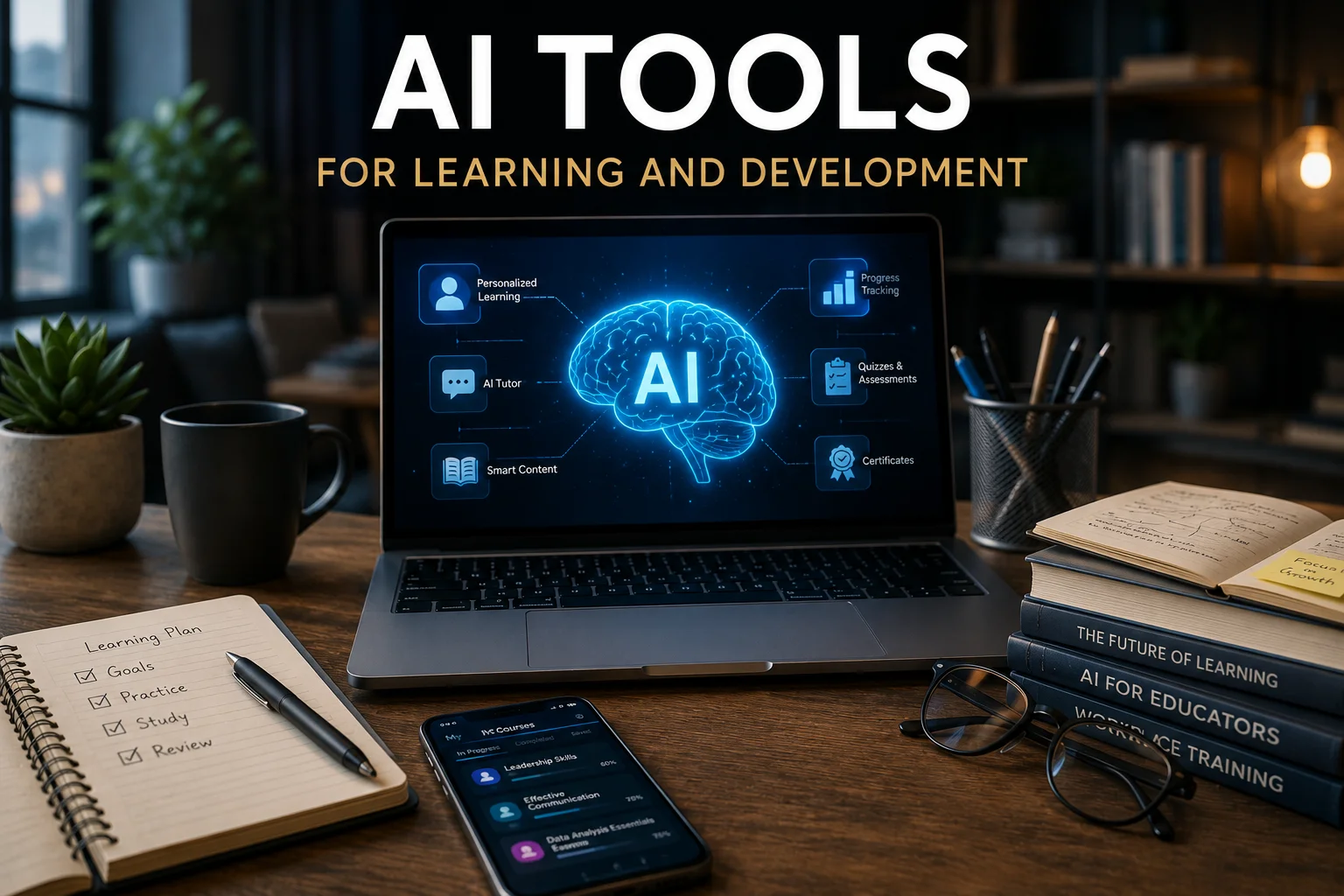
AI has become a valuable learning partner for both individuals and organizations. It can explain complex topics, summarize documents, generate quizzes, organize knowledge, and support personalized learning. In workplaces, it also helps HR teams, instructional designers, and L&D managers build more engaging training programs while reducing manual work. This guide compares the best AI tools for learning and development, explains who each tool is best for, and shows how to choose the right solution based on your goals, whether you’re studying for an exam, developing professional skills, or training an entire workforce.
Key Takeaways
- AI tools help students, professionals, HR teams, and Learning & Development managers learn more efficiently.
- The best AI tool depends on your learning goal, not its popularity.
- Different AI tools specialize in research, note-taking, document analysis, revision, and workplace learning.
- Using multiple AI tools together often creates a better learning workflow than relying on one platform.
- AI improves productivity, but critical thinking and real-world practice remain essential for long-term learning.
AI Tools for Learning and Development
Artificial intelligence is changing how people learn. Instead of spending hours searching for information, organizing notes, or creating study materials, learners can now use AI to understand topics faster, improve knowledge retention, and build new skills more efficiently.
AI tools are no longer used only by students. Today, professionals use them to learn new skills, HR teams use them to improve employee onboarding, and Learning & Development (L&D) managers use them to create personalized training programs. Instructional designers and corporate trainers also rely on AI to develop learning materials and reduce repetitive work.
The challenge is not finding an AI tool. Hundreds of AI-powered learning tools are available today. The real challenge is choosing the right one for your learning goals.
Whether you’re a student preparing for exams, a professional developing new skills, an HR professional planning employee training, or an L&D manager building workplace learning programs, this guide will help you understand which AI tools are worth using and how to get the best results from them.
What Are AI Tools for Learning and Development?

AI tools for learning and development are software applications that use artificial intelligence to make learning faster, more personalized, and more effective.
These tools can:
- Explain difficult concepts
- Answer questions
- Summarize long documents
- Create quizzes and flashcards
- Improve writing
- Organize notes
- Recommend learning resources
Unlike traditional learning resources, many AI tools adapt to the learner’s needs. They can explain the same topic in different ways, suggest practice activities, and help learners focus on areas that need improvement.
These tools are commonly used for:
- Student learning
- Employee training
- Professional development
- Online courses
- Certification preparation
- Workplace upskilling
Learning and Development (L&D) is not limited to schools or universities. In many organizations, it focuses on helping employees build new skills, improve job performance, prepare for leadership roles, and keep up with changing technologies. AI supports both personal learning and workplace development by making training more efficient and personalized.
Why AI Is Changing Learning and Development
Traditional learning often follows the same path for everyone. AI changes this by providing more personalized support.
Instead of reading hundreds of pages before finding the answer, learners can ask questions, receive simple explanations, and practice what they learn immediately.
For organizations, AI also reduces the time needed to create training materials, update learning content, and recommend courses for different employee roles.
Some of the biggest advantages include:
- Personalized learning experiences
- Faster research
- Better knowledge retention
- Instant feedback
- Self-paced learning
- Improved productivity
- Reduced training time
AI does not replace teachers, trainers, or mentors. Instead, it helps them spend more time supporting learners and less time on repetitive tasks.
How We Evaluated These AI Tools
Every AI tool has different strengths. Instead of recommending tools based only on popularity, we evaluated them using practical criteria that matter to both individual learners and organizations.
We considered:
- Ease of use
- Learning value
- Accuracy of responses
- Free plan availability
- Privacy and security
- Features for education and workplace learning
- Collaboration capabilities
- Best use cases for different users
No single AI tool is perfect for every situation. Some tools are better for research, while others work best for note-taking, quizzes, writing, or workplace learning.
Best AI Tools for Different Learning Goals

Different users have different learning needs. A student preparing for exams does not need the same AI tool as an HR manager building Employee training becomes even more valuable when it supports broader business goals like digital marketing for small businesses.
Instead of ranking tools by popularity, the following recommendations are based on what each tool does best.
ChatGPT – Best for Understanding New Topics
ChatGPT is one of the most flexible AI learning assistants available today. It can explain difficult concepts, answer follow-up questions, create study plans, generate quizzes, and help users understand new topics more quickly.
Best for
- Learning new subjects
- Brainstorming ideas
- Interview preparation
- Writing practice
- Professional development
Strengths
- Easy to use
- Supports many subjects
- Generates examples and explanations
- Helps organize learning
Keep in Mind
ChatGPT can occasionally generate incorrect or outdated information. Always verify important facts using trusted sources, especially for academic, medical, financial, or legal topics.
NotebookLM – Best for Learning from Your Own Documents
NotebookLM is designed to help users learn from their own materials. You can upload PDFs, reports, presentations, meeting notes, or research papers and ask questions based on those documents.
Unlike general AI assistants, NotebookLM primarily grounds its responses in the information you provide, making it useful for studying, certification preparation, and workplace learning.
Best for
- Research
- Exam preparation
- Company training documents
- Academic learning
- Internal knowledge management
Strengths
- Works with your own documents
- Creates summaries
- Explains complex material
- Saves research time
Keep in Mind
NotebookLM works best when your documents are well organized and contain reliable information.
Perplexity – Best for Research and Fact Verification
Perplexity combines AI with web search to provide answers supported by source references. It is particularly useful for researching current topics, comparing information, and finding reliable sources.
Best for
- Industry research
- Current information
- Market trends
- Fact verification
- Professional learning
Strengths
- Includes source citations
- Fast research
- Easy to verify information
Keep in Mind
Although Perplexity provides sources, you should still review important references before making business or academic decisions.
Notion AI – Best for Organizing Knowledge
Learning becomes easier when information is organized. Notion AI helps users summarize notes, organize projects, manage documents, and create structured learning plans.
Best for
- Personal knowledge management
- Study planning
- Project organization
- Team collaboration
Strengths
- Keeps notes in one place
- Improves organization
- Supports collaboration
- Saves time
Quizlet AI – Best for Revision and Knowledge Retention
Reading information once is rarely enough to remember it. Quizlet AI helps learners create flashcards and quizzes that improve long-term knowledge retention through active recall.
Best for
- Exam preparation
- Vocabulary
- Certification study
- Quick revision
Strengths
- Interactive quizzes
- Automatic flashcards
- Mobile learning
- Easy revision
AI Tool Comparison
| AI Tool | Best For | Free Plan | Workplace Learning | Ease of Use |
|---|---|---|---|---|
| ChatGPT | Learning, explanations, brainstorming, and study support | ✅ Yes | ✅ Yes | Easy |
| NotebookLM | Studying PDFs, reports, and research documents | ✅ Yes | ✅ Yes | Easy |
| Perplexity | Research, source verification, and current information | ✅ Yes | ✅ Yes | Easy |
| Notion AI | Notes, knowledge management, and project organization | Limited | ✅ Yes | Moderate |
| Quizlet AI | Revision, quizzes, and flashcards | ✅ Yes | Limited | Easy |
How AI Supports Workplace Learning and Development

Learning and Development (L&D) is about helping employees build the skills they need to succeed throughout their careers.
Many organizations now use AI to improve workplace learning while reducing repetitive work for trainers and learning teams.
For Learning & Development managers, AI can create personalized learning paths, recommend training resources, and reduce the time required to develop learning materials.
For HR professionals, AI supports employee onboarding, compliance training, career development, workforce upskilling, and internal knowledge sharing.
For instructional designers, AI helps generate course outlines, learning objectives, quizzes, discussion questions, and first drafts of training content. This allows them to spend more time improving learning experiences instead of starting every project from scratch.
For corporate trainers, AI can assist with presentation creation, role-play scenarios, training activities, and personalized learning recommendations for different employee groups.
The goal is not to replace trainers or educators. Instead, AI reduces repetitive tasks so learning professionals can focus on coaching, mentoring, and building engaging learning experiences.
How AI Supports the Learning Journey
| 🔍 Research |
📖 Understand |
📝 Organize |
✅ Practice |
🚀 Apply |
📈 Improve |
Successful learners don’t use AI for shortcuts. They use it throughout the learning process—from researching new topics to practicing skills and applying knowledge in real situations.
A Simple AI Learning Workflow

Using one AI tool for every task is not always the best approach. Most learners get better results by combining different tools throughout the learning process.
A simple AI learning workflow looks like this:
Step 1: Research the Topic
Start by understanding the subject.
Use ChatGPT to explain new concepts in simple language or Perplexity to find reliable sources and recent information.
Your goal is to build a strong foundation before moving to deeper learning.
Step 2: Learn from Your Materials
Collect useful learning resources, such as:
- PDFs
- Research papers
- Course notes
- Company documents
- Presentation slides
Upload them to NotebookLM to generate summaries, ask questions, and better understand the content.
Step 3: Organize Your Knowledge
Move your key ideas into Notion AI.
Create sections for:
- Key concepts
- Important definitions
- Examples
- Questions
- Action items
Organized notes make revision easier and help you remember information longer.
Step 4: Test Yourself
Reading alone is not enough.
Create flashcards and quizzes with Quizlet AI to check your understanding and identify weak areas.
Regular self-testing improves long-term knowledge retention.
Step 5: Apply What You Learned
Learning becomes valuable when you use it.
Apply your knowledge by:
- Completing projects
- Solving real problems
- Teaching someone else
- Writing summaries
- Practicing new skills at work
This step turns knowledge into practical experience.
Recommended AI Tool Stacks by User Type
Different users have different learning goals. Choosing a small group of complementary tools often works better than relying on one platform for everything.
Students
Recommended tools:
- ChatGPT – Understand difficult concepts
- NotebookLM – Study textbooks and PDFs
- Quizlet AI – Review with quizzes and flashcards
This combination supports daily study, assignments, and exam preparation.
Professionals
Recommended tools:
- Perplexity – Research industry topics
- ChatGPT – Learn new skills and solve problems
- Notion AI – Organize notes and career development plans
This workflow helps professionals learn efficiently while managing work responsibilities.
Teachers and Educators
Recommended tools:
- ChatGPT – Create lesson ideas and classroom activities
- NotebookLM – Analyze learning materials
- Quizlet AI – Build quizzes and revision exercises
These tools save preparation time while improving student engagement.
Learning & Development Managers
Recommended tools:
- ChatGPT – Draft training materials and learning objectives
- Notion AI – Organize internal knowledge and documentation
- Perplexity – Research learning trends and industry best practices
This combination helps L&D teams build training programs more efficiently.
HR Professionals
Recommended tools:
- ChatGPT – Create onboarding materials
- Notion AI – Manage employee learning resources
- Perplexity – Research compliance and workforce development topics
These tools support employee development throughout the learning journey.
Instructional Designers
Recommended tools:
- ChatGPT – Generate course outlines and assessments
- Notion AI – Organize course content
- Gamma – Create professional training presentations
This workflow reduces repetitive work and speeds up course development.
AI Prompt Library
The quality of your results depends on the prompts you use.
Try these practical prompts:
For learning a new topic
Explain cloud computing in simple English with real-world examples.
For exam preparation
Create a 15-question multiple-choice quiz based on these notes.
For document study
Summarize this PDF into the five most important points.
For revision
Turn these notes into flashcards with questions and answers.
For workplace learning
Create a 30-day learning plan for a new project manager.
For professional development
Recommend the skills I should learn to become a data analyst in the next six months.
Specific prompts usually produce better results than broad questions.
How to Choose the Right AI Tool
Before choosing an AI tool, think about your role and learning objective.
A student preparing for exams has different needs than an HR professional building onboarding programs.
Ask yourself:
- What do I want to learn?
- Do I need research, writing, note-taking, or quizzes?
- Is a free plan enough?
- Will I use the tool alone or with a team?
- Does the platform protect my data?
Choosing a tool based on your goals usually leads to better results than choosing the most popular platform.
Choose the Right AI Tool Based on Your Role
| Role | Learning Goal | Recommended AI Tools |
|---|---|---|
| Student | Study smarter and prepare for exams | ChatGPT + NotebookLM + Quizlet AI |
| Professional | Learn new workplace skills | ChatGPT + Perplexity + Notion AI |
| HR Professional | Employee onboarding and development | ChatGPT + Notion AI |
| L&D Manager | Build employee learning programs | ChatGPT + Notion AI + Perplexity |
| Instructional Designer | Create engaging learning content | ChatGPT + Gamma + Notion AI |
Before You Choose an AI Tool
Selecting the right AI tool starts with understanding your learning goals. Ask yourself these questions before making a decision.
- ✔ Am I learning for school, work, or professional development?
- ✔ Do I need help with research, writing, note-taking, or revision?
- ✔ Will I use the tool individually or with a team?
- ✔ Does the platform protect sensitive information?
- ✔ Can this tool support my learning over the long term?
Challenges and Responsible AI Use
AI can make learning faster, but it should be used responsibly.
Keep these points in mind:
- AI may generate incorrect or outdated information.
- Always verify important facts with trusted sources.
- Review your organization’s privacy policy before uploading confidential documents.
- Avoid depending on AI for every answer.
- Continue practicing and thinking critically instead of simply copying AI-generated content.
The best results come from combining AI with reliable learning resources, practical experience, and expert guidance.
Frequently Asked Questions
Which AI tool is best for learning?
There is no single best tool for everyone.
ChatGPT is excellent for explanations and brainstorming. NotebookLM works well with study materials and company documents. Perplexity supports research, while Quizlet AI is ideal for revision and knowledge retention.
Are AI learning tools free?
Most popular AI tools offer free plans with basic features.
Paid plans usually provide higher usage limits, advanced AI models, team collaboration, and additional productivity features.
Can AI replace teachers or workplace trainers?
No.
AI is designed to support learning, not replace experienced educators or trainers.
Teachers, mentors, and workplace trainers provide guidance, practical experience, feedback, and critical thinking that AI cannot fully replace.
Which AI tool is best for employee training?
For workplace learning, many organizations combine ChatGPT for content creation, Notion AI for knowledge management, and Perplexity for research and learning resources.
The best choice depends on your organization’s goals, budget, and training strategy.
Expert Tip
One of the biggest mistakes learners make is trying to use a single AI tool for every task. In practice, better results usually come from combining specialized tools. For example, you can use ChatGPT to understand a topic, NotebookLM to study your documents, Notion AI to organize notes, and Quizlet AI to test your knowledge. This workflow helps you learn more efficiently while building stronger long-term understanding.
Final Thoughts
The best AI tool for learning and development is not necessarily the most popular one—it’s the one that fits your learning goals. Students, professionals, teachers, HR teams, and Learning & Development managers all face different challenges, so their ideal AI solutions will also be different. Instead of relying on a single platform, combine tools that support research, knowledge organization, revision, and practical application. This approach creates a more effective learning experience and helps you build skills more efficiently.
AI will continue to shape how people learn, but it should support your thinking rather than replace it. Use AI to save time, simplify complex topics, and improve productivity, while continuing to verify important information, practice regularly, and apply what you learn in real situations. When used responsibly, AI becomes a long-term learning partner that supports continuous personal growth, professional development, and stronger workplace learning outcomes.
Continue your learning journey with more practical guides, expert insights, and business resources. Browse the latest articles on The Write Posts to discover actionable advice on AI, marketing, technology, and business growth.